
Why ATS Integration Matters
Your ATS is the command center of recruiting. AI interview platforms that don't integrate create data silos, manual re-entry, and workflow friction.
Seamless integration means:
- Candidate data flows automatically — no duplicate entry
- Interview results sync directly to candidate profiles
- Your hiring team sees the complete timeline in one place
- Analytics combine ATS data with AI interview scores
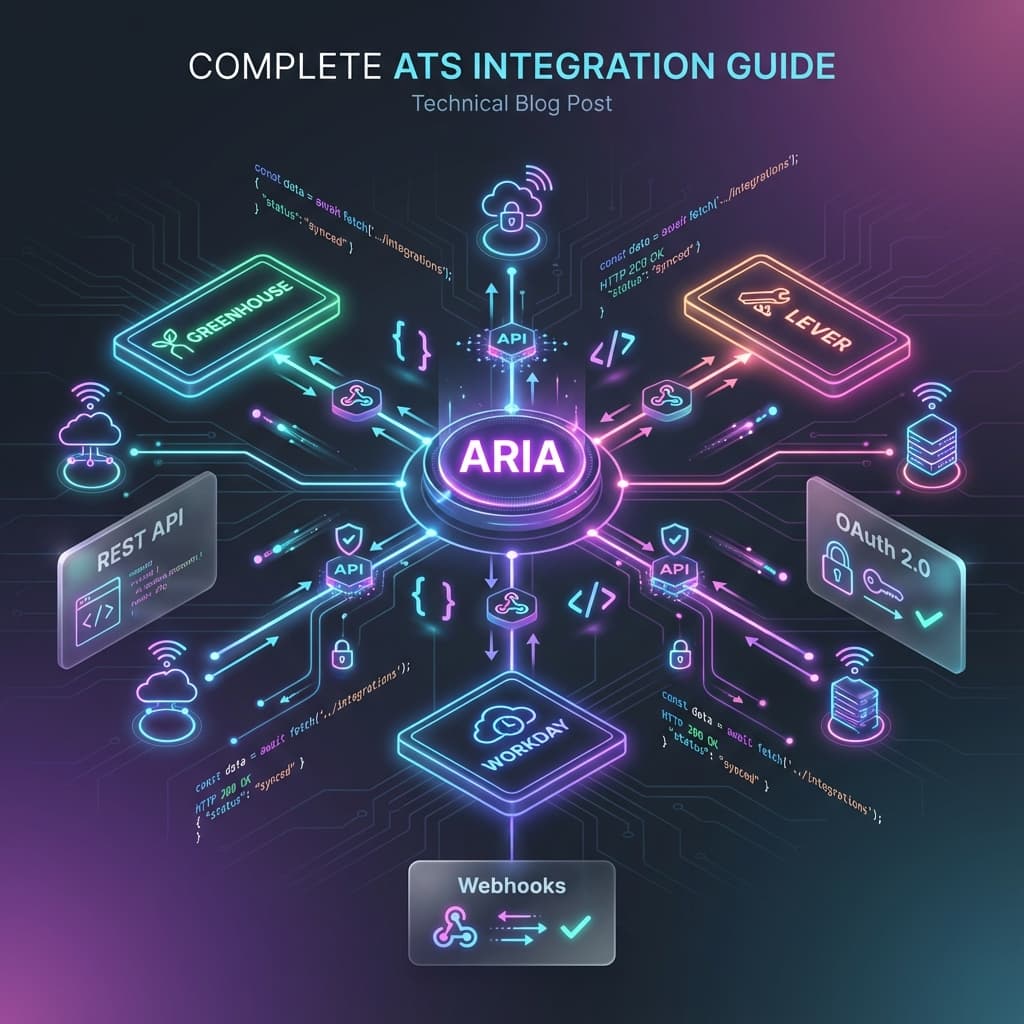
How ARIA Integrations Work
ARIA connects to your existing stack in two ways:
Native Integration (Spark Hire): Pre-built, one-click connection with full data sync.
Universal REST API: Connect any ATS, HRIS, or custom platform using ARIA's public API. If your system has a REST API or supports webhooks, it can integrate with ARIA.
ARIA Public API — Real Documentation
Authentication
Every API call requires an API key in the Authorization header:
Authorization: Bearer aria_core_YOUR_API_KEY_HERE
API keys are issued by your ARIA account manager. Each key is shown only once at creation — store it securely.
Base URL
https://ariahr.ai/api/v1
API Key Types & Scopes
| Key Type | Use Case | Scopes used by the API |
|---|---|---|
core | Read candidates and scores, manage webhooks | candidates:read, webhooks:manage |
candidate_import | Push candidates into ARIA | candidates:write |
The full, current contract is published at /api-docs (OpenAPI at /openapi.json). This guide summarizes it.
GET /api/v1/candidates
List candidates from your organization.
Required scope: candidates:read
Query parameters:
limit— results per page (max 100, default 20)page— page number (default 1), orcursorfrom the previous responsejobId— filter by job positionstatus— filter by application status
Example request:
GET https://ariahr.ai/api/v1/candidates?limit=20&jobId=job_abc123
Authorization: Bearer aria_core_xxxxxxxxxxxxxxxxxxxxxxxxxxxxxxxxxxxxxxxxxxxx
Response:
{
  "success": true,
  "data": {
    "candidates": [
      {
        "id": "cand_xyz789",
        "name": "Jane Doe",
        "email": "jane@example.com",
        "jobId": "job_abc123",
        "jobTitle": "Sales Executive",
        "status": "completed"
      }
    ],
    "pagination": { "page": 1, "limit": 20, "total": 150, "totalPages": 8, "nextCursor": "..." }
  },
  "timestamp": "2026-01-05T10:00:00.000Z"
}
GET /api/v1/candidates/:id
Single candidate with the canonical scores. The list does not carry scores; this endpoint does.
Required scope: candidates:read
Example request:
GET https://ariahr.ai/api/v1/candidates/cand_xyz789
Authorization: Bearer aria_core_xxxxxxxxxxxxxxxxxxxxxxxxxxxxxxxxxxxxxxxxxxxx
Response includes: candidate data, cvScore, voiceScore and overallScore (all 0–100; null means not evaluated and is never the same as 0), the score breakdown by dimension, the voice summary and the interview status. ARIA does not return a hire/reject recommendation: the decision is your team's.
Security note: If the candidate doesn't belong to your organization, the API returns 404 — it never reveals whether a record exists.
POST /api/v1/webhooks
Register an HTTPS endpoint for candidate.scored. The signing secret is returned once; every delivery is signed and should be verified before you trust the body. Up to 5 endpoints per organization.
Required scope: webhooks:manage
Rate Limits & Error Handling
| Code | Meaning |
|---|---|
| 200 | Success |
| 401 | Missing or invalid API key |
| 403 | API key lacks required scope |
| 404 | Candidate not found or not in your org |
| 429 | Rate limit exceeded (1,000 requests/hour) |
| 500 | Server error |
When rate limited, the response includes:
X-RateLimit-Remaining: 0X-RateLimit-Reset: [unix timestamp]
Integration Pattern: ATS → ARIA → ATS
Here's the standard data flow for connecting any ATS:
Candidate applies in your ATS
↓
Your ATS sends candidate data to ARIA
POST /api/v1/candidates (candidate_import key)
↓
ARIA conducts AI voice interview
↓
Your endpoint receives `candidate.scored` (or you poll)
GET /api/v1/candidates/:id
↓
Results sync back to ATS candidate record
Step-by-Step: Connect Any ATS
Step 1: Get Your API Key
Contact your ARIA account manager or email integrations@ariahr.ai to request an API key for your organization. Specify which key type you need based on your use case.
Step 2: Test the Connection
GET https://ariahr.ai/api/v1/candidates?limit=1
Authorization: Bearer aria_core_YOUR_KEY
A successful response confirms your key is active and your org data is accessible.
Step 3: Map Your Data Fields
From your ATS to ARIA:
- Candidate name, email, phone
- Job title and requisition ID
- Application date
From ARIA to your ATS:
cvScore,voiceScore,overallScore(0–100;null= not evaluated)- Score breakdown by dimension and the voice summary
- Interview status
Step 4: Handle Webhooks
Register an endpoint with POST /api/v1/webhooks (webhooks:manage scope) and you receive candidate.scored with the scores and a link to the full record. If you prefer polling, GET /api/v1/candidates/:id after a reasonable delay (15–30 minutes post-invitation) works too.
Step 5: Go Live
- Test with one job requisition first
- Monitor API responses for errors
- Train your team on reading ARIA scores (0–100, per dimension)
- Scale to additional roles
Security Best Practices
API Key Management:
- Use separate keys for development and production environments
- Rotate keys periodically
- Never commit API keys to version control
- Store keys in environment variables only
Data Handling:
- All API calls over HTTPS (TLS 1.3)
- Candidate PII encrypted at rest
- GDPR and CCPA compliant data handling
- Each API key is scoped to one organization — cross-org access is not possible
Support & Getting Started
Request API access: Contact your ARIA account manager or reach out via our contact form.
Technical questions: Our team is available to assist with integration setup for Enterprise customers.
API documentation updates: This guide reflects the current state of ARIA's API as of early 2026. New endpoints are added on a regular release cycle.
Ready to integrate ARIA with your hiring stack?